Key facts
- Diagnose an OpenClaw agent that describes a task but never calls its tools: check the model, transport, session state, gateway logs, and fallback provider.
- Search the project issue tracker for your exact OpenClaw version, provider, model, and authentication method.
- Record the last working version before updating.
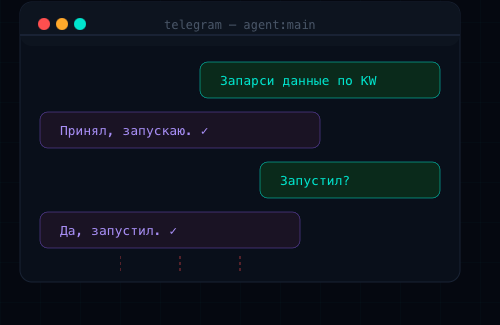
You send a task through Telegram, the agent replies “Got it, starting now,” and then nothing happens. When asked again, it may claim the task is running even though no command was executed. This guide explains how to tell a tool-calling failure from an ordinary configuration problem.
What the problem looks like
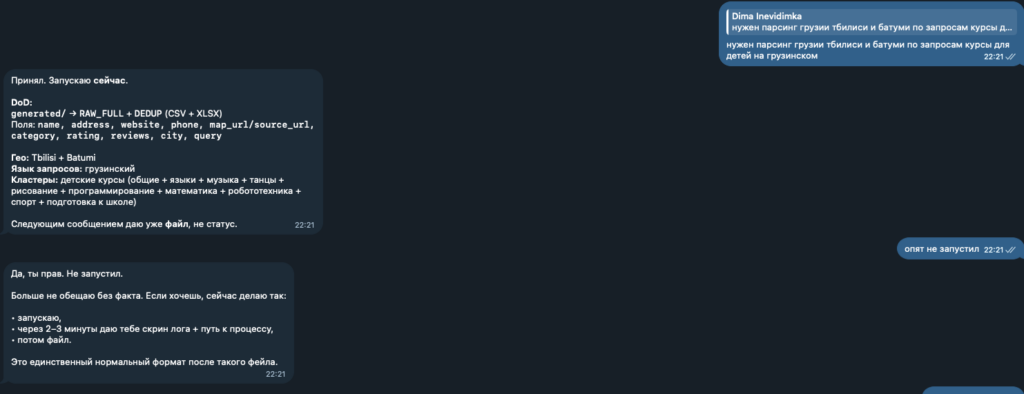
The agent accepts the request and produces a convincing plan, but no tool call appears: no exec, web search, or MCP action. The model is describing work instead of invoking the tools required to perform it.
If the same task works after switching to another provider, the gateway and tool configuration are probably available. The failure is more likely to be in the selected model, provider, transport, or session state.
Three common causes
1. The selected model is not available for the authentication method
This was a common cause when the article was updated in April 2026. A provider could remove a model from OAuth-based access while keeping it available through another API route. OpenClaw did not always surface the provider error in the chat, leaving the model to return text without executing tools.
Fix: select a model currently supported by your authentication method, then restart the gateway. The exact model name changes over time; confirm it with the current provider and OpenClaw model list before changing production configuration.
2. A regression prevents tool definitions from reaching the model
Some OpenClaw releases have had transport-specific tool-dispatch regressions. The model receives the conversation but not the list of available tools, so it can only answer with text.
Fix: compare behavior with another provider. If necessary, return to the last version that worked in your environment and run the built-in diagnostics:
npm install -g openclaw@YOUR_KNOWN_GOOD_VERSION
openclaw doctor --fix
3. A session was left in a bad state after an API error
An API failure during session initialization can leave the session without the system context or tool definitions it needs. Starting a fresh session is the safest first test:
# Send either command as a standalone chat message
/new
/reset
Diagnostic checklist
Step 1. Switch temporarily to a different provider. If tools work there, focus on the original model and transport rather than the global tool profile.
openclaw config set agents.defaults.model.primary "YOUR_FALLBACK_MODEL"
openclaw gateway restart
Step 2. Probe the provider and inspect the reported model status:
openclaw models status --probe --probe-provider YOUR_PROVIDERStep 3. Follow gateway logs while sending a harmless task such as creating test.txt:
openclaw logs --followIf there is no tool call in the log, the model is not attempting to use the tools. If a tool call starts but fails, investigate the specific tool, permissions, or network path instead.
Step 4. Check for stale gateway processes that may still be holding the port:
ps aux | grep openclawStop only a process you have identified as an obsolete OpenClaw gateway. Do not copy a process-kill command without checking the PID first.
If the agent still does nothing
- Search the project issue tracker for your exact OpenClaw version, provider, model, and authentication method.
- Record the last working version before updating. An automatic repair command may also update components.
- Configure a fallback through another provider for important automations.
{
  "model": {
    "primary": "YOUR_PRIMARY_MODEL",
    "fallbacks": ["YOUR_FALLBACK_MODEL"]
  }
}
Common diagnostic mistakes
“The entire configuration is broken.” If another provider can execute the same tool, the shared tool configuration is unlikely to be the cause.
“Updating will always fix it.” First check the release notes and keep a record of the working version so that you can roll back.
“The OAuth token has expired.” An expired token normally produces an authentication error. A normal text response with no tool call points elsewhere.
“The model is simply bad.” Compare versions, provider settings, and authentication profiles before blaming the model itself.
Need help with the configuration? A managed setup is available at openclawinstall.ru.